
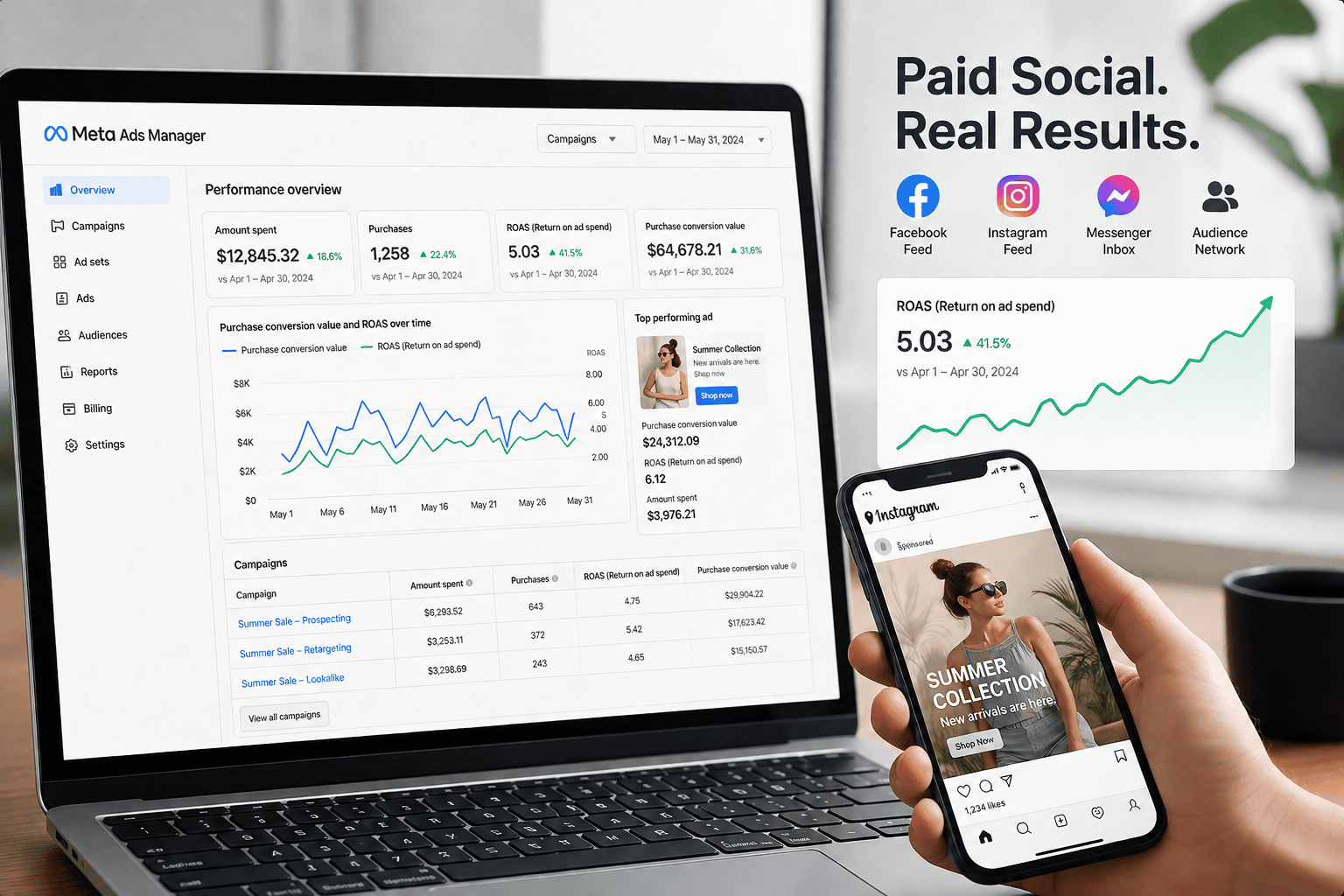
How to Run a Meta Ad Campaign in 2026: Full Setup Guide
Building a profitable Meta ad campaign is less about creativity and more about structure — the right objective, the right audience, and a tracking setup that tells Meta’s algorithm what actually matters to your business. This guide walks through every stage of launching a Facebook and Instagram ad campaign inside Meta Ads Manager, from account setup to scaling a winning ad.
What Is a Meta Ad Campaign?
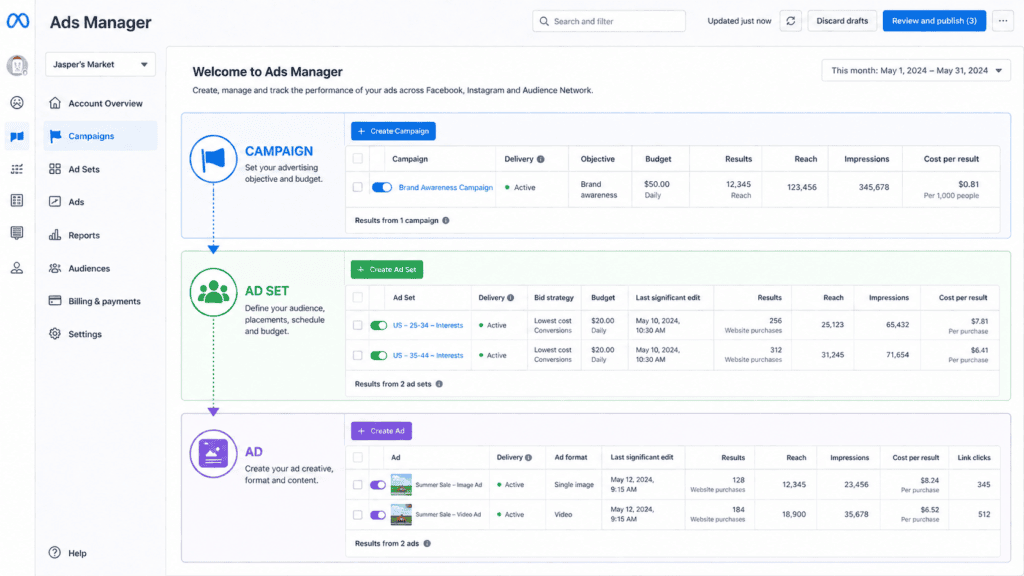
A Meta ad campaign is a paid promotion run through Meta Ads Manager that serves ads across Facebook, Instagram, Messenger, and the Audience Network. Every Meta ad campaign is built in three layers: the campaign level (where you set the objective and budget strategy), the ad set level (where you define audience, placements, and schedule), and the ad level (where the actual creative, copy, and destination link live). Understanding this structure is the foundation of everything else in this guide — most underperforming campaigns trace back to a mismatch between the objective chosen at the top and the audience or creative built underneath it.
Meta Ad Campaign Performance in 2026: The Numbers
Before you set a budget, it helps to know what “normal” looks like. Meta’s auction has gotten more competitive, but AI-assisted campaign types have also gotten better at finding buyers, so the return on ad spend for well-optimised accounts is holding up.
| $0.78–$1.72 Average CPC across industries | 2.8x–5x Typical eCommerce ROAS |
| 4.52xAvg ROAS on Advantage+ campaigns | $7–$25 CPM per 1,000 impressions |
Benchmarks vary widely by industry, region, and account maturity — treat these as a starting reference point, not a target, when planning your own Meta ad campaign budget.
Choosing the Right Campaign Objective
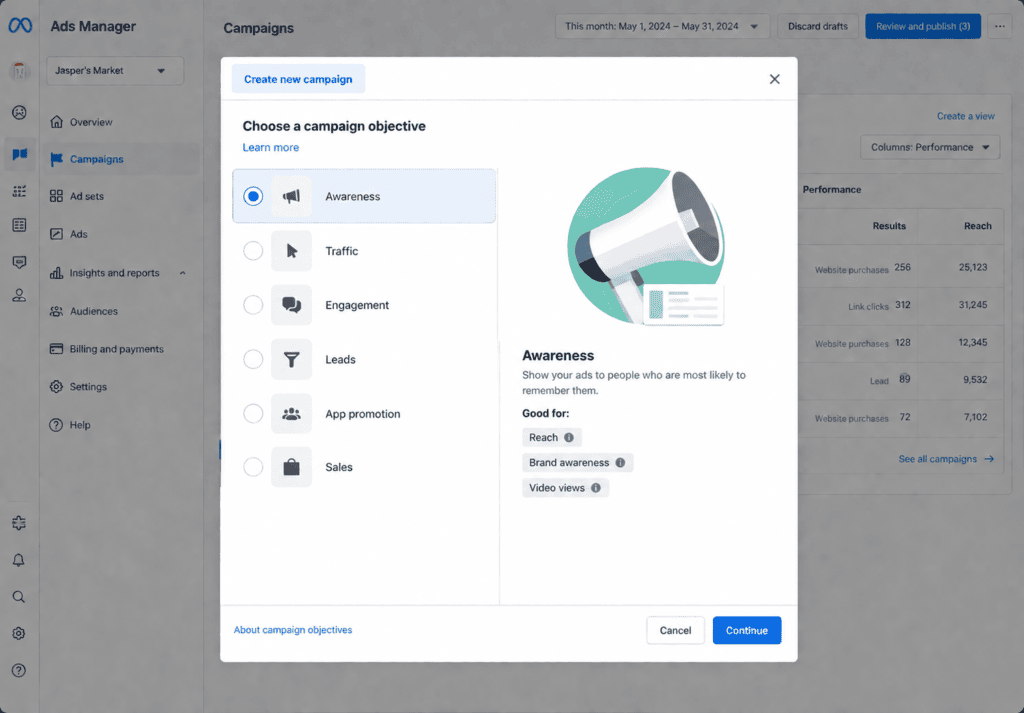
Meta Ads Manager groups every objective under three buckets: Awareness, Traffic/Engagement, and Conversion/Sales/Leads. Picking the wrong bucket is the single most common reason a Meta ad campaign underperforms — for example, running a Traffic objective when the real goal is purchases trains Meta’s algorithm to find people who click, not people who buy.
1. Awareness
Best for new product launches or brand introductions where the goal is reach and impressions, not immediate action. Use this to build a retargeting audience for later conversion campaigns.
2. Traffic and Engagement
Good for driving visits to a blog, landing page, or app when the destination itself is the qualifying step before a sale — useful in longer B2B sales cycles.
3. Conversions, Sales, and Lead Generation
This is where most performance-focused Meta ad campaigns should live. It requires the Meta Pixel or Conversions API to be installed correctly, since the algorithm optimises delivery toward people statistically likely to complete that specific action.
Step-by-Step: Building Your First Meta Ad Campaign
- Set up Business Manager and the Meta Pixel. Install the pixel or Conversions API on your website before spending a single dollar — this is what feeds Meta’s algorithm the signal it needs to optimise.
- Choose your objective based on the funnel stage you’re targeting (see above).
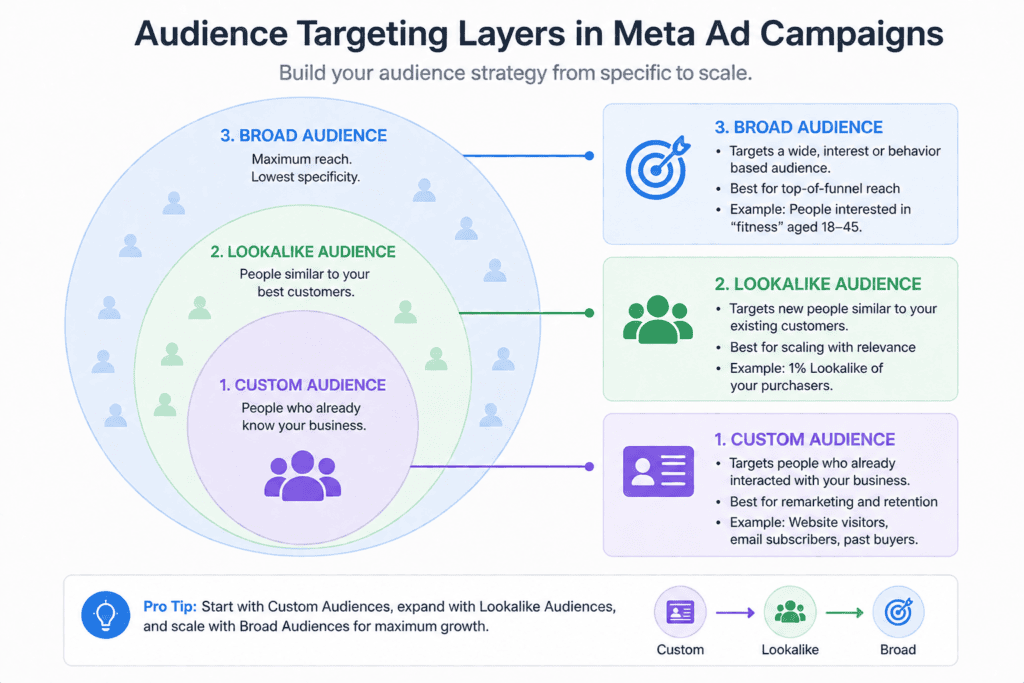
- Define your audience. Start with a custom audience from your customer list or website visitors, then build a lookalike audience from your best customers. In 2026, broader targeting paired with strong pixel data often outperforms narrow interest stacking.
- Set your budget and bidding strategy. Daily budgets suit always-on campaigns; lifetime budgets suit time-bound promotions. Campaign Budget Optimisation (CBO) lets Meta shift spend automatically between ad sets toward the best performers.
- Choose placements. Automatic placements are usually the best starting point, letting Meta serve ads across Facebook Feed, Instagram Feed, Reels, and Stories based on where they perform.
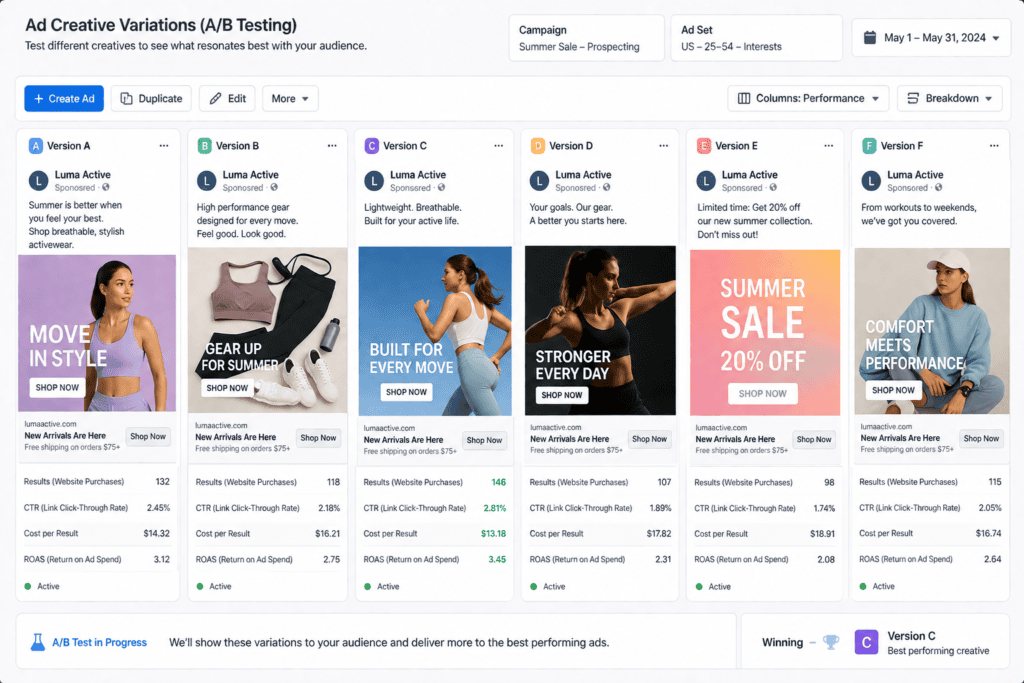
- Build the ad creative. Upload 6–10 creative variations (static, carousel, and video), so Advantage+ campaigns have enough material to test and optimise.
- Launch and monitor the learning phase. Avoid editing the campaign for the first 3–7 days or 50 conversions — frequent edits reset the learning phase and reset your cost efficiency.
Meta Ads vs. Google Ads: Where a Meta Ad Campaign Fits
| Factor | Meta Ad Campaign | Google Ads Campaign |
|---|---|---|
| Buyer intent | Interrupts passive scrolling — lower intent, needs a strong creative hook | Captures active search intent |
| Average CPC | ~$0.78–$1.72 | ~$2.10–$5.26 |
| Best for | Visual products, impulse purchases, brand building, retargeting | High-intent purchases, local services, B2B lead capture |
| Creative demand | High — needs frequent refreshes (every 3–5 days on aggressive accounts) | Lower — text ads dominate, less creative fatigue |
| Typical ROAS | 2x–5x (higher for D2C, luxury, and beauty) | 3.5x–8x on Search |
Many agencies now run a blended strategy — a majority of budget on Google to capture existing demand and the remainder on a Meta ad campaign to create new demand through discovery and retargeting.
Meta Ad Campaign Budget Tiers
How much you should allocate to a Meta ad campaign depends on your objective, industry, and how much room you need for the algorithm to exit its learning phase. Here’s a general framework agencies use when scoping client budgets.
Starter
$500–$1,500/mo
Best for testing 2–3 creative concepts and a single conversion objective. Enough to gather an early signal but limited room for Advantage+ optimisation.
Growth
$3,000–$8,000/mo
Supports Advantage+ Shopping campaigns, multiple audience segments, and weekly creative refreshes — the tier where most brands exit the learning phase efficiently.
Scale
$10,000+/mo
Full-funnel Meta ad campaign strategy with dedicated retargeting, lookalike layering, CAPI integration, and dedicated creative production.
Meta Ad Campaign Launch Checklist
- Meta Pixel and Conversions API installed and verified in Events Manager
- Campaign objective matches the actual funnel goal (not just “get clicks”)
- Custom and Lookalike Audiences built from real customer data
- 6–10 creative variations uploaded (static, video, carousel)
- UTM parameters added to all destination URLs for tracking
- Budget set with room to exit the learning phase (roughly 50 conversions)
- Frequency capping reviewed to avoid ad fatigue
- Landing page mobile-optimized and loads in under 3 seconds
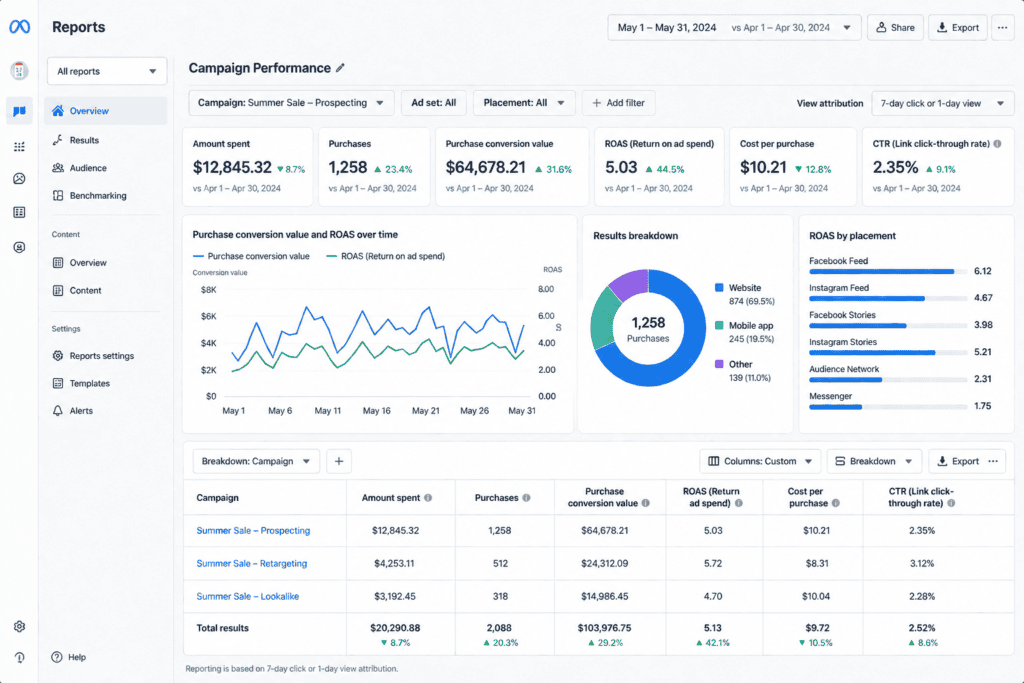
- Attribution window confirmed (default: 7-day click, 1-day view)
Common Mistakes That Sink a Meta Ad Campaign
Editing too early. Changing budgets, audiences, or creative during the learning phase resets optimisation and inflates costs. Narrow targeting. Audiences under roughly 500K people often push CPMs 40–60% higher due to limited inventory. Weak tracking. Without the Conversions API layered on top of the pixel, iOS privacy changes mean the algorithm is optimising on incomplete data. Creative fatigue. A frequency above 3–4 is the clearest sign an audience has seen the same ad too many times — rotate the creative before performance drops.
Frequently Asked Questions
How much does it cost to run a Meta ad campaign?
Most small businesses start with between $500 and $1,500 per month, though agencies typically recommend at least $3,000/month to give Advantage+ campaigns enough data to optimise efficiently. Cost per click generally ranges from $0.45 to $3.77 depending on industry.
How long does a Meta ad campaign take to show results?
Expect a 3–7 day learning phase where Meta’s algorithm is still gathering signals. Meaningful, stable performance data usually takes 2–4 weeks, especially for conversion-focused campaigns.
What’s the difference between a campaign, ad set, and ad in Meta Ads Manager?
The campaign holds the objective, the ad set holds the audience/budget/placement decisions, and the ad holds the actual creative and copy shown to users. A single Meta ad campaign can contain multiple ad sets, each testing a different audience.
Should I use Advantage+ or manual campaign setup?
Advantage+ Shopping campaigns generally outperform manually managed setups by roughly 12–25%, particularly for accounts spending over $5,000/month with diverse creative assets. Manual setups still make sense for tightly controlled B2B or lead-gen targeting.
What is a good ROAS for a Meta ad campaign?
It depends on your gross margin — a good ROAS is anything above your break-even point (1 ÷ gross margin per cent). For most eCommerce brands with 50% margins, that means a 2x ROAS breaks even, while 4x–8x is considered strong.
Want a Meta Ad Campaign That Actually Converts?
Paknook builds and manages full-funnel Meta ad campaigns — from pixel setup to creative production to weekly optimisation.